
Jour → crépuscule : l'effet « twilight » sur vos photos de biens
La photo au crépuscule est la signature visuelle du haut de gamme : ciel bleu profond, lumières chaudes derrière les fenêtres, silhouette du bâtiment détachée. Elle sort du lot dans une liste de résultats.
Réaliser une vraie photo « twilight » suppose de revenir sur place au bon créneau, une vingtaine de minutes par jour. L'outil produit le même effet à partir d'une photo de jour, en recalculant l'ambiance lumineuse.
Mention « Home staging virtuel » incrustée sur chaque rendu
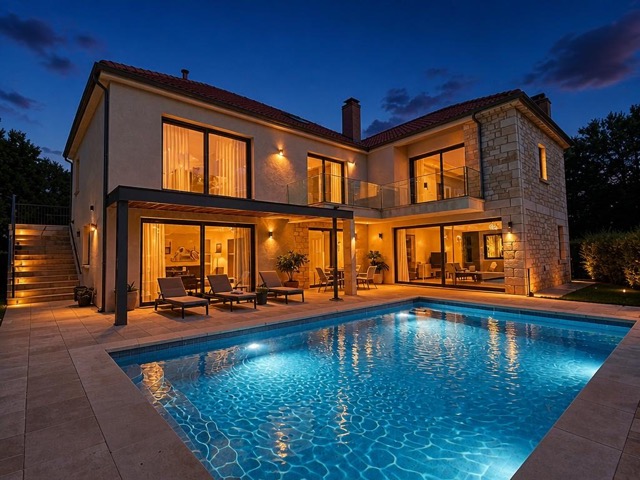 AvantAprès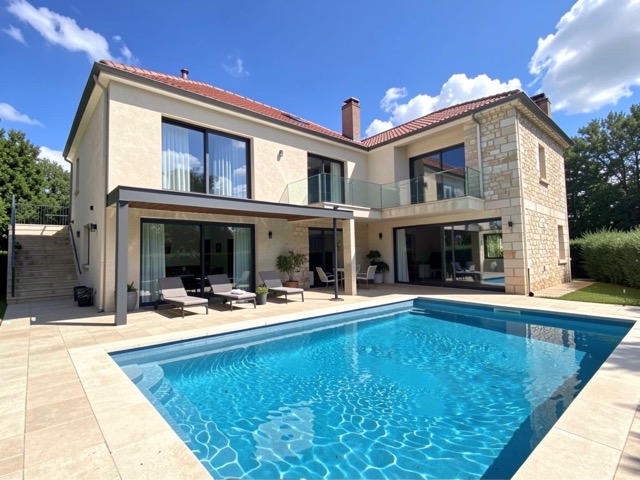
Quand l'utiliser
- Une villa ou une maison d'architecte à mettre en avant
- Un bien avec de grandes baies vitrées, sublimées par l'éclairage intérieur
- Une photo de couverture qui doit se distinguer sur le portail
- Un bien avec piscine ou terrasse éclairée
Bonnes pratiques
- Réservez cet effet à la photo de couverture : sur toute la galerie, il devient artificiel.
- Fonctionne surtout sur les biens avec des ouvertures visibles depuis l'extérieur.
- Assurez-vous que l'annonce contient aussi des photos de jour de la même façade.
- Évitez-le sur un bien modeste : le décalage de registre se voit.
Comment ça marche
- 1
Téléversez votre photo
Importez la photo du bien depuis votre ordinateur ou votre téléphone. Aucun format particulier n'est requis.
- 2
Choisissez le traitement
Sélectionnez le passage jour → crépuscule sur votre photo de jour.
- 3
Récupérez le rendu
L'image haute résolution est générée en quelques secondes, avec la mention « Home staging virtuel » incrustée, prête à être publiée dans votre annonce.
Questions fréquentes
Qu'est-ce qu'une photo « twilight » en immobilier ?
Une photo prise juste après le coucher du soleil, quand le ciel est encore bleu profond et que les éclairages intérieurs et extérieurs sont allumés. C'est un standard de la photographie immobilière haut de gamme, réputé pour son fort taux de clic.
Faut-il revenir photographier le bien au crépuscule ?
Non. L'outil recalcule l'ambiance lumineuse à partir d'une photo de jour, ce qui évite un second déplacement dans un créneau d'une vingtaine de minutes.
Peut-on l'appliquer à toutes les photos de l'annonce ?
Ce n'est pas conseillé. L'effet fonctionne comme une photo de couverture ; répété sur toute la galerie, il perd son impact et paraît artificiel.
Outils complémentaires
Remplacer un ciel gris sur une photo immobilière
Remplace un ciel gris par un ciel bleu, avec une lumière cohérente.
DécouvrirRénovation de façade sur photo immobilière
Donne à une façade fatiguée l'aspect d'une rénovation fraîchement terminée.
DécouvrirAjouter une piscine sur une photo de terrain
Ajoute une piscine réaliste, dimensionnée pour le terrain existant.
DécouvrirPour aller plus loin
Testez sur une photo de votre portefeuille
Les premières générations sont offertes à l'inscription, sans carte bancaire.
Essayer gratuitement